


Verify visa type
Ensure you are applying for a short-stay Schengen visa (Type C). Long-term (Type D) visas require a direct email appointment request to the embassy.
Schengen visa · Bulgaria · VFS Global
Applying for a Bulgarian short-stay Schengen visa from the UAE? VFS Global partners with the Bulgarian authorities to facilitate visa applications. AnySlot monitors the VFS calendar and alerts you when submission dates are confirmed, allowing you to secure your appointment without constant manual refreshing. You choose and complete the booking in your own official session.
Free on-demand checks$25 for 10 days of automatic monitoringUnlimited slot alerts
Bulgaria joined the Schengen area in 2024, issuing uniform visas valid for the entire Schengen region. If your main destination is Bulgaria, you must book your short-stay visa appointment through the official VFS Global channel, which handles the logistics for the Embassy of Bulgaria in the UAE.
AnySlot is a specialized desktop tool for macOS and Windows that monitors the official VFS Global Bulgaria calendar. It automates the check process, providing a persistent journal of availability that helps you stay informed while you compile your application documents and travel itinerary.
When the bot detects an available slot, you will receive an alert within the app or via Telegram. This allows you to jump directly to the VFS booking page to select and confirm your appointment time, ensuring you can act quickly when slots are released by the service centre.
The software focuses on calendar monitoring and does not interact with your official application forms or submit data on your behalf. You remain in full control of your VFS session, managing your profile and finalizing the appointment details directly through the official portal to ensure compliance.
Interactive demo
Loading demo…
The demo above shows the interface only, with simulated results. Real monitoring runs in the downloaded app, in your own official booking session. On-demand checks are free; automatic monitoring is paid.
Countries and visa appointment routes
Lights summarise public sources, not live slots. Green does not confirm availability; yellow flags waiting lists, delays or applicant reports.
Application country
Applying from the Emirates? Explore visa calendars alongside selected consular services, including Spanish document legalisation. Explore 40 appointment routes, grouped below by service.
 Austria: SchengenAutomatic slot checkingAuto-check
 Belgium: SchengenAutomatic slot checkingAuto-check

 Croatia: SchengenAutomatic slot checkingAuto-check
 Czechia: SchengenAutomatic slot checkingAuto-check
 Denmark: SchengenAutomatic slot checkingAuto-check
 Estonia: SchengenAutomatic slot checkingAuto-check
 Finland: SchengenAutomatic slot checkingAuto-check
 France: SchengenAutomatic slot checkingAuto-check
 Germany: SchengenAutomatic slot checkingAuto-check
 Greece: SchengenAutomatic slot checkingAuto-check
 Hungary: SchengenAutomatic slot checkingAuto-check
 Iceland: SchengenAutomatic slot checkingAuto-check
 Italy: SchengenAutomatic slot checkingAuto-check
 Latvia: SchengenAutomatic slot checkingAuto-check
 Liechtenstein: SchengenAutomatic slot checkingAuto-check
 Lithuania: SchengenAutomatic slot checkingAuto-check
 Luxembourg: SchengenAutomatic slot checkingAuto-check
 Malta: SchengenAutomatic slot checkingAuto-check
 Netherlands: SchengenAutomatic slot checkingAuto-check
 Norway: SchengenAutomatic slot checkingAuto-check
 Portugal: SchengenAutomatic slot checkingAuto-check
 Sweden: SchengenAutomatic slot checkingAuto-check
 Switzerland: SchengenAutomatic slot checkingAuto-check
 Spain: SchengenAutomatic slot checkingAuto-checkItaly: SchengenAutomatic slot checkingAuto-check
 Slovakia: SchengenAutomatic slot checkingAuto-check
Route guide
Ensure you are applying for a short-stay Schengen visa (Type C). Long-term (Type D) visas require a direct email appointment request to the embassy.
Prepare your application documents in accordance with Bulgarian consular requirements. Ensure all supporting paperwork is ready before you attempt to book an appointment.
Set up the AnySlot desktop application to watch the VFS Bulgaria portal. Keep the computer awake to receive alerts regarding confirmed appointment availability.
When the bot alerts you, use the provided link to access the VFS site. Secure your spot promptly to ensure your application can proceed as planned.
Complete the official booking process within the VFS interface, print your confirmation letter and bring it with your documents to the submission centre.
Interface examples
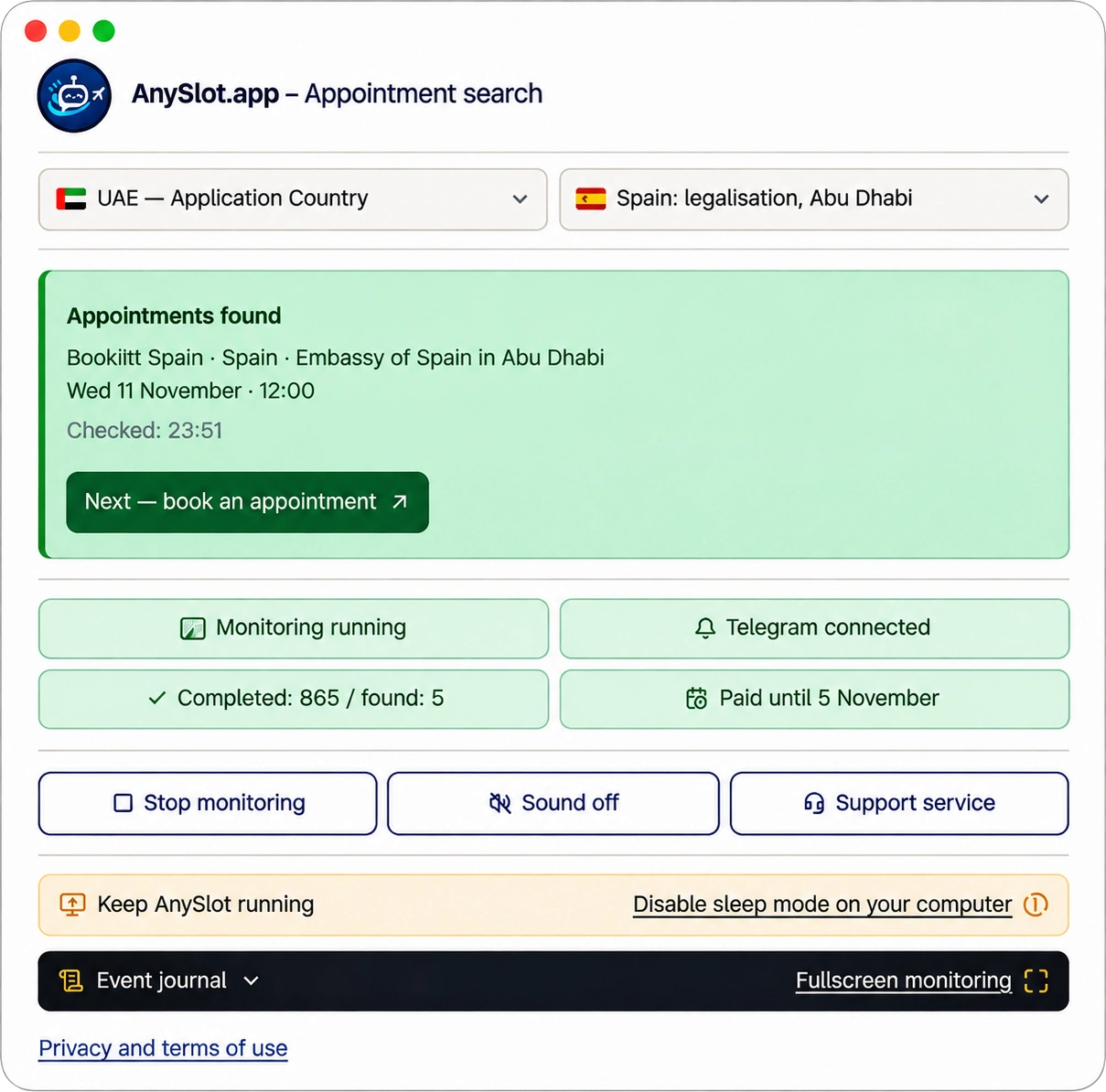
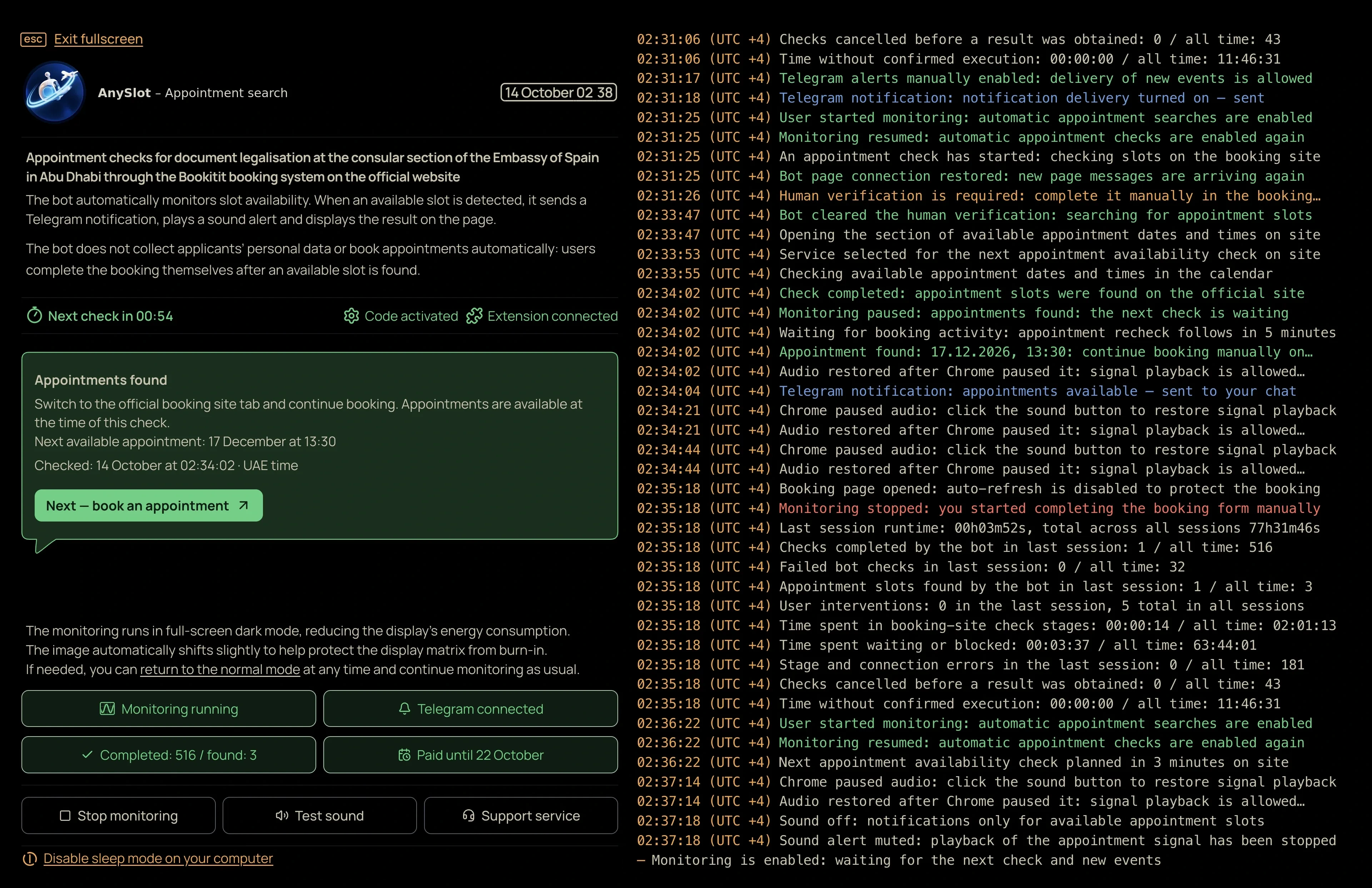
Bulgaria Schengen bot
Automatic monitoring for Bulgaria Schengen appointments at VFS: $25 for 10 consecutive days from your first activation. On-demand checks remain free to use at any time.
$2510 days of bot checks
Free on-demand checks after download
What you gain
Managing visa logistics alongside travel planning can be time-consuming. AnySlot removes the repetitive burden of manual checking by monitoring the VFS Bulgaria calendar continuously and providing clear, logged results of every scan.
The system provides immediate notifications when the VFS site shows available dates. This allows you to secure a slot for your application without needing to monitor the browser dashboard yourself during the busy work day.
Work, rest or sleep while AnySlot checks. There is no need to keep refreshing the calendar.
The result appears on screen, AnySlot plays a sound on your computer and Telegram sends a message to your phone.
You sign in yourself and personally book the appointment found. Passwords and application details are not shared.
Where Abu Dhabi and Dubai are both checked, each confirmed result is shown on its own line.
Every check is logged with time and outcome, so you see the search is alive rather than guessing.
Check appointment availability by pressing a button, at no charge, also on beta routes.
How it works
Select the Bulgaria Schengen route within the AnySlot app to align the monitoring engine with the correct VFS Global booking portal.
Initiate a free manual check to confirm connectivity and see the current status of the VFS Bulgaria appointment calendar on your device.
Activate the 10-day monitoring service to receive automated alerts, including sound and Telegram messages, whenever new appointments appear on the calendar.
Click the alert to open your browser, log in to your official VFS session and complete the appointment booking for your visa application.
FAQ
Support
Stuck on install or activation? Write to us.