Choose the correct route
Confirm whether your trip is short-stay Schengen or a long-stay D visa before selecting a slot. The intake channel is the same VFS Global service center route, but the visa category and document set are not the same.
Estonia visa appointment monitoring
Track Estonia Schengen and long-stay D-visa appointment availability across VFS Global service centers in the UK. AnySlot checks live access for you, sends alerts when new slots appear, and helps you watch the booking process without guessing when to refresh.
Free on-demand checks$25 for 10 days of automatic monitoringUnlimited slot alerts
If you are applying for Estonia from the UK, the appointment channel is the VFS Global service centers. That applies to both short-stay Schengen applications and long-stay D visas, so you do not need to treat them as separate booking systems. AnySlot helps you watch the same route consistently from your chosen UK city.
For Schengen trips, the right lodging point depends on your itinerary: apply where you will spend the longest time, or where the main purpose of travel takes place. If you do not have a clear main destination, the application should be lodged through the state you first enter in the Schengen area. That rule matters before you book.
For Estonia’s long-stay D visa, applications are also submitted through VFS Global service centers and may be for study, work, or family reasons. AnySlot supports continuous monitoring while you prepare documents and choose the correct route. You stay in control of the booking; the app only watches for availability and alerts you.
Interactive demo
Loading demo…
The demo above shows the interface only, with simulated results. Real monitoring runs in the downloaded app, in your own official booking session. On-demand checks are free; automatic monitoring is paid.
Countries and visa appointment routes
Application country
UK-based applicants can browse short visits separately from plans to move or stay longer. Explore 40 appointment routes, grouped below by service.
 Italy: SchengenAutomatic slot checkingAuto-check
 Netherlands: SchengenAutomatic slot checkingAuto-check
 Switzerland: SchengenAutomatic slot checkingAuto-check
 Austria: SchengenAutomatic slot checkingAuto-check
 Portugal: SchengenAutomatic slot checkingAuto-check
 Czechia: SchengenAutomatic slot checkingAuto-check
 Hungary: SchengenAutomatic slot checkingAuto-check
 Sweden: SchengenAutomatic slot checkingAuto-check
 Denmark: SchengenAutomatic slot checkingAuto-check
 Norway: SchengenAutomatic slot checkingAuto-check
 Bulgaria: SchengenAutomatic slot checkingAuto-check
 Croatia: SchengenAutomatic slot checkingAuto-check

 Finland: SchengenAutomatic slot checkingAuto-check
 Iceland: SchengenAutomatic slot checkingAuto-check
 Latvia: SchengenAutomatic slot checkingAuto-check
 Lithuania: SchengenAutomatic slot checkingAuto-check
 Slovenia: SchengenAutomatic slot checkingAuto-check
 Spain: SchengenAutomatic slot checkingAuto-check


How it works
Confirm whether your trip is short-stay Schengen or a long-stay D visa before selecting a slot. The intake channel is the same VFS Global service center route, but the visa category and document set are not the same.
If you are visiting more than one Schengen country, apply where you will spend the most time or where the main purpose happens. This is the key rule for deciding which representation should receive your application.
If your stay is split evenly and the main destination is unclear, the application should go through the country through which you first enter the Schengen area. That is a practical fallback for mixed itineraries.
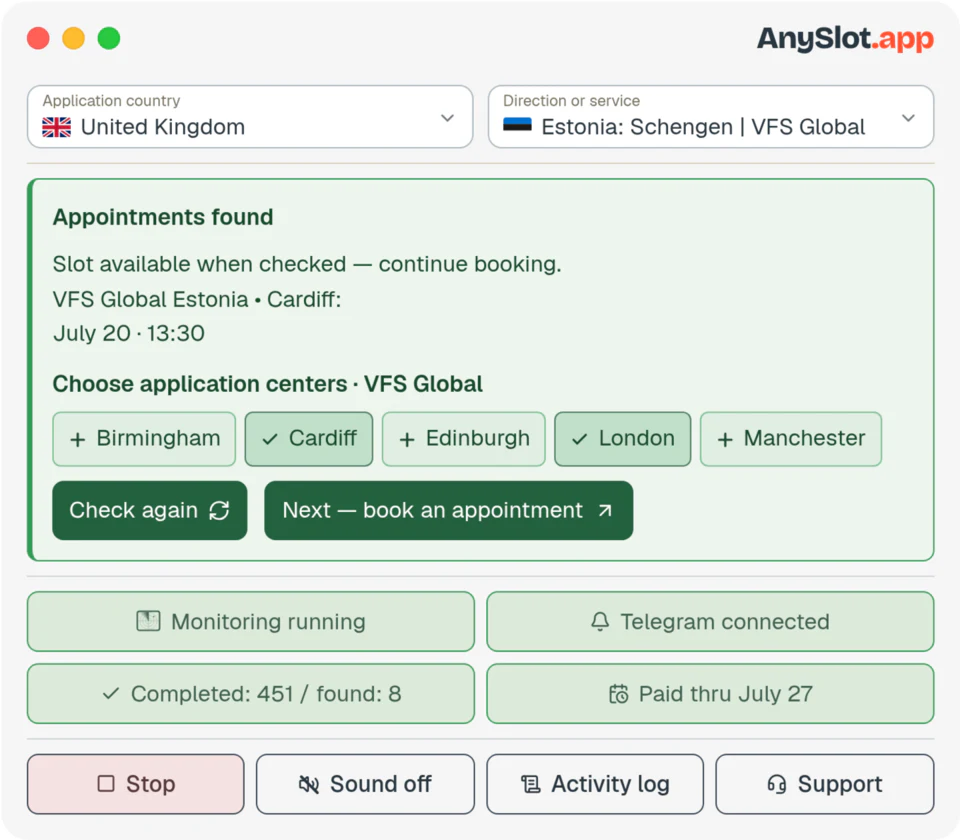
AnySlot can be used while you are in Birmingham, Cardiff, Edinburgh, London, or Manchester. The appointment channel remains the official VFS Global route, so location choice is about your own monitoring setup, not a different visa office.
Availability can change without warning. Keep the app running with your computer awake so notifications can reach you as soon as a slot appears, instead of manually rechecking at random times.
Interface examples
Functions and advantages
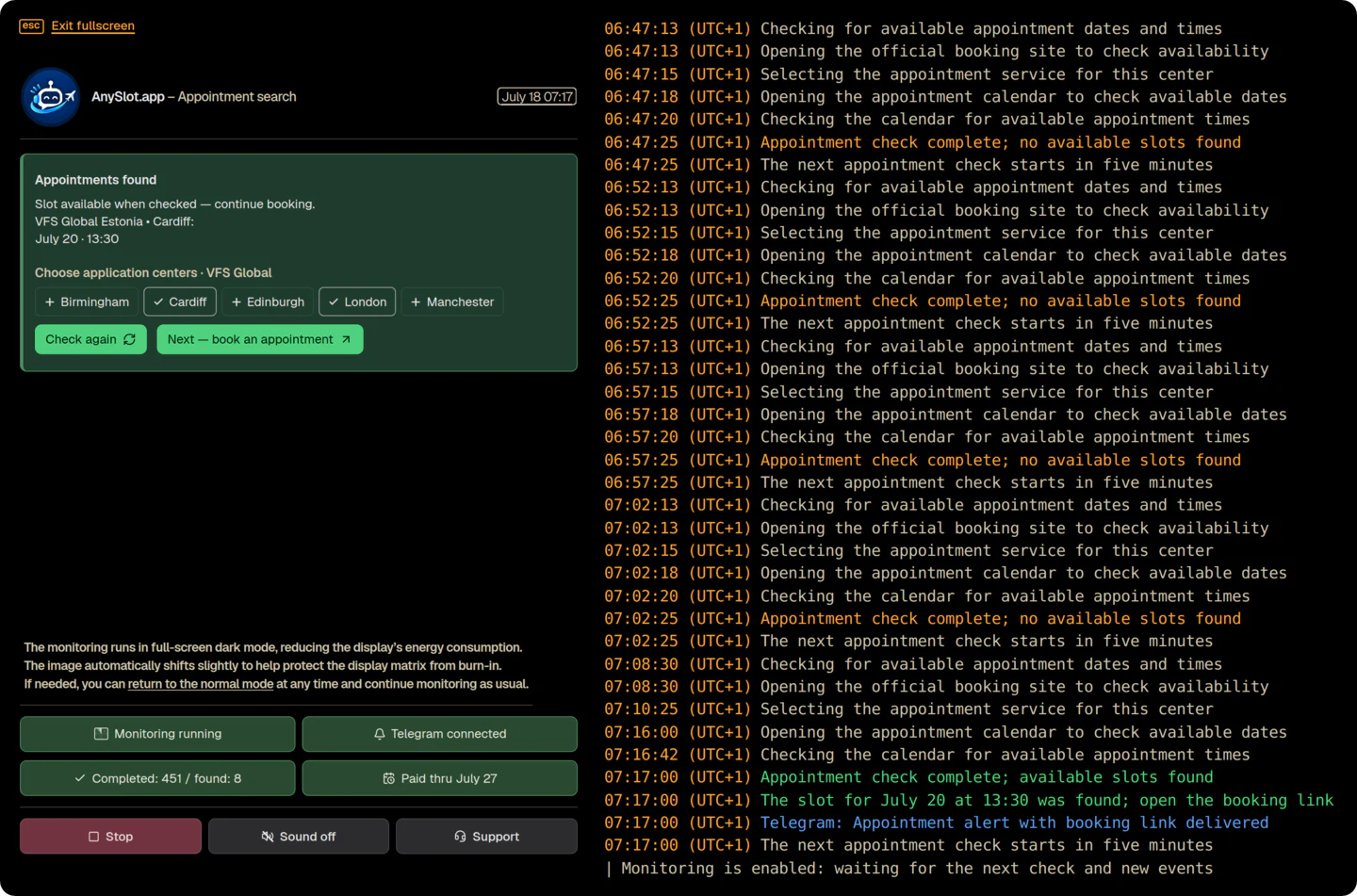
Checks the VFS Global Estonia booking path without changing the official booking process.
Use app and sound alerts, with optional Telegram notifications if you want them.
You still complete the appointment yourself on the official service; no auto-booking or guarantees.
AnySlot
Use AnySlot to watch the official Estonia booking route from the UK, then book personally when a slot appears. Free on-demand checks are available, and scheduled monitoring can run for 10 consecutive days from first code activation. Keep your computer awake so alerts keep working.
$25$5010 days of bot checks
Free on-demand checks after download
Live UK compatibility for this route has not been verified here. Try a free check first before considering purchase.
What you gain
You get a focused way to watch the official VFS Global route instead of refreshing repeatedly by hand. That is useful when appointment pages are busy or when you need to coordinate documents, travel plans, and work schedules around one booking.
The service keeps the commercial structure intact: free on-demand checking is available, and scheduled monitoring is offered as a paid option. You remain responsible for booking personally on the official service, with no auto-booking and no guarantee of an appointment.
AnySlot is a monitoring tool, not a visa product. It does not change eligibility, processing, or the official decision process. It simply helps you notice openings sooner, which can reduce the time you spend checking the calendar yourself.
Let AnySlot check while you work or sleep. Keep your computer on, online, and awake.
See results on screen, hear an alert if sound is on, and get a message on your phone if Telegram is connected.
Sign in to your own account and complete the booking yourself. Your password and application details stay with you.
When several selected centers are checked, each available appointment is shown with its center.
See when each check ran, what it found, and whether the booking site reported an error.
Run a free check whenever you need one, including on beta routes.
How it works
Select the UK-to-Estonia booking path and confirm whether you need Schengen or long-stay monitoring before you start.
Choose one of the UK demo centers if it matches your search routine, or keep watching the full Estonia route on the official booking system.
Use the app to scan for appointment availability on the official VFS Global service center booking path.
When a slot appears, go to the official service yourself and complete the booking before it is taken.
FAQ
Support
Need help installing or activating AnySlot?